Modify Token Settings
After creating a Key, you can adjust the token's settings as needed.
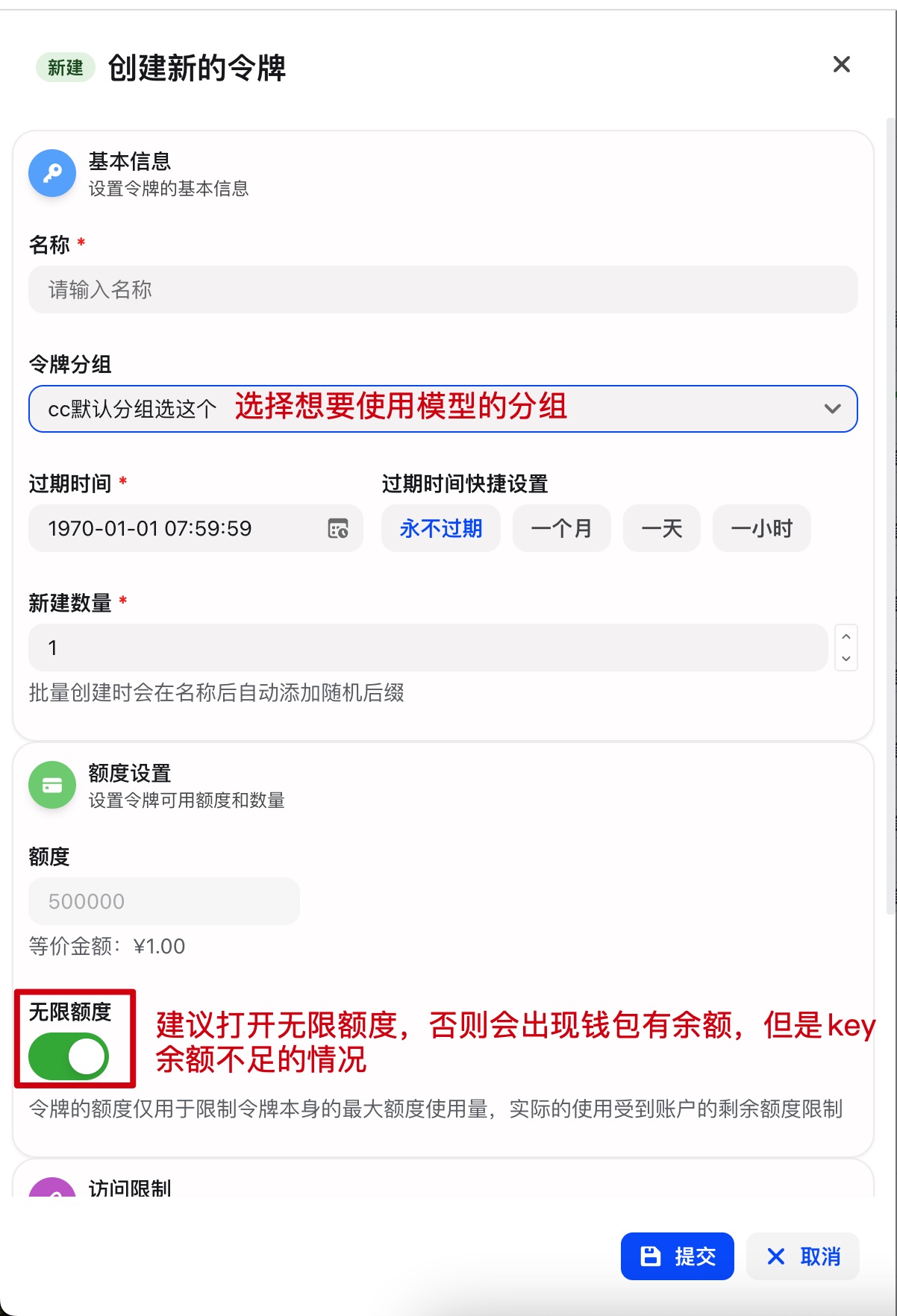
Configurable Settings
Token Name
Change the display name of the token so it's easier to identify and manage.
Quota Limits
Adjust the token's usage quota:
- Unlimited quota
- Set a daily/monthly cap
- Set a total quota
Rate Limits
Control the request frequency:
- Requests per minute
- Requests per hour
- Concurrent requests
Enable/Disable
Temporarily disable a token without deleting it, so you can re-enable it later.
How to Modify
- Log in to the console
- Find the token you want to modify
- Click the "Edit" button
- Update the relevant settings
- Save your changes
Important Notes
⚠️ Caution
- Changes take effect immediately
- Some settings may require restarting the tool to apply
- Changing the token group requires creating a new Key
Keep Your Key Handy
After updating settings, make sure to save your Key — you'll need it later when configuring environment variables.
bash
# Windows PowerShell
$env:ANTHROPIC_AUTH_TOKEN="your-key"

# macOS/Linux
export ANTHROPIC_AUTH_TOKEN="your-key"Next Steps
- Start deployment — Configure AI coding tools